 Dream Seeker
Language
Dream Seeker
Language
Don't just write
your bucket list down
Pick a dream and the small steps that get you there become the teeth of a key. Answer today's step, one question at a time, and before you know it the box is open.
Buy once and every feature is yours. No subscription, no ads.
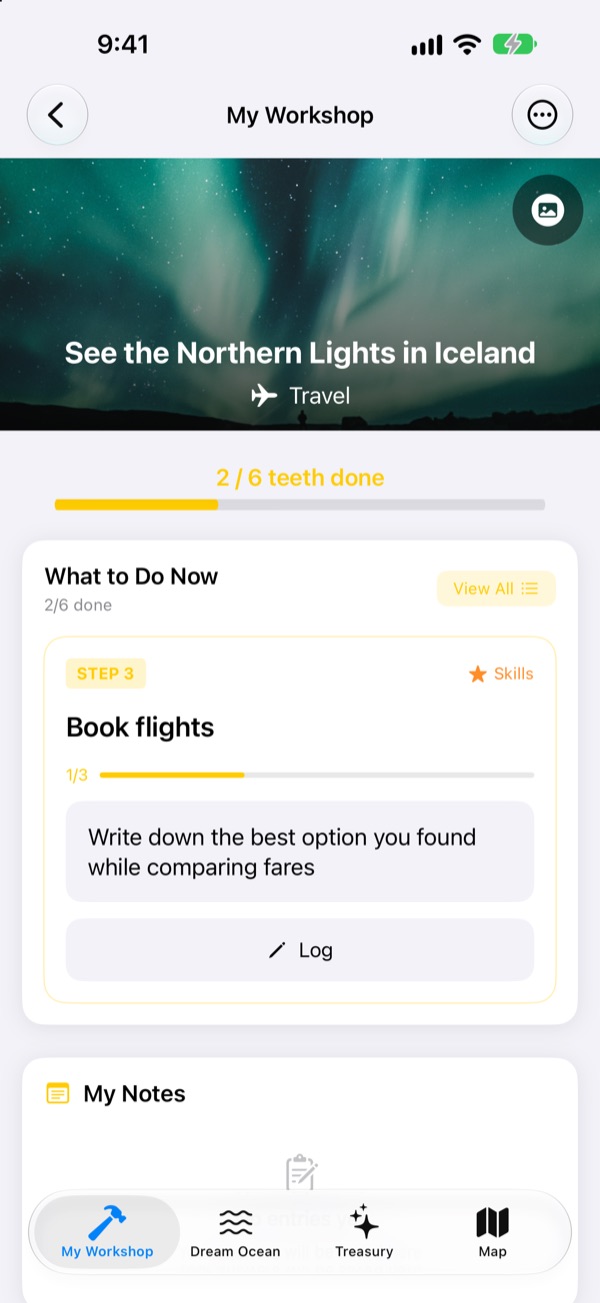
Finish the key
Two steps are left on the Northern Lights dream. Answer each question in a line (or leave it blank) and tap Next. Each finished step fills a tooth, and a full key opens the box.
Ever written a bucket list and forgotten it?
"See the Northern Lights" is so big you don't know where to start, so it sits on the list for years. Dream Seeker breaks it into steps you can do today, like checking the season, saving up and booking flights, and only shows you the one to work on now.
Choose from more than 590 dreams
Travel, experiences, achievements, health, learning and relationships. Dreams from six areas float by in boxes on the Dream Ocean. Bring one to your workshop and its steps are already laid out.
Don't see yours? Make your own with a title, an area and the steps it takes.
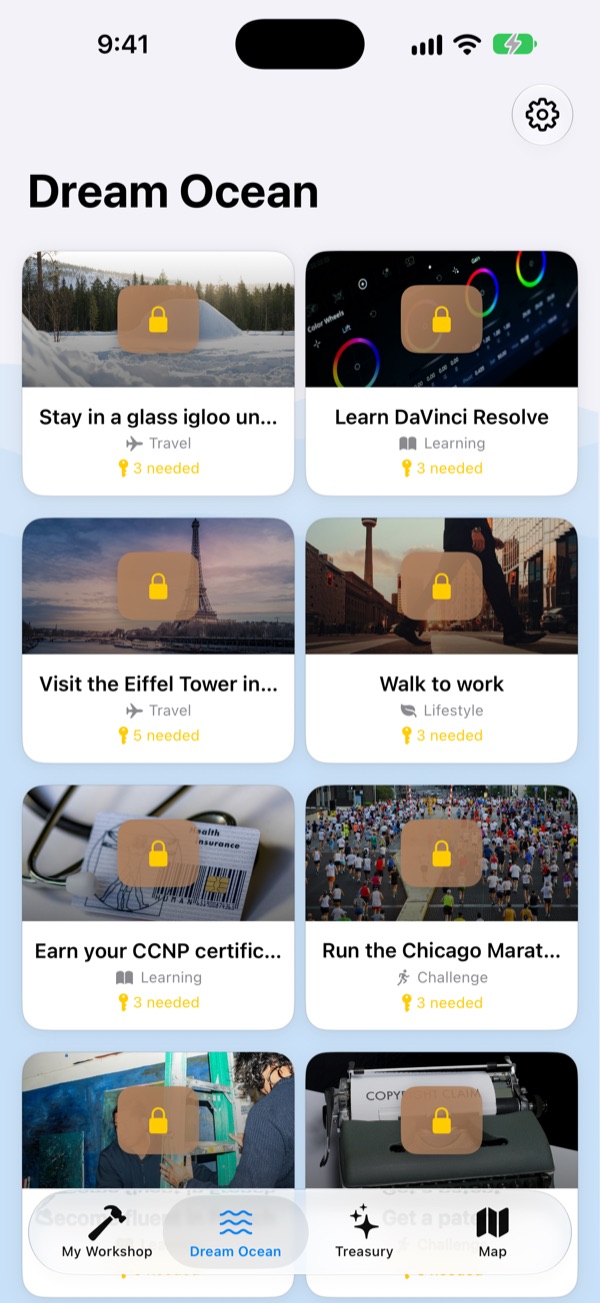
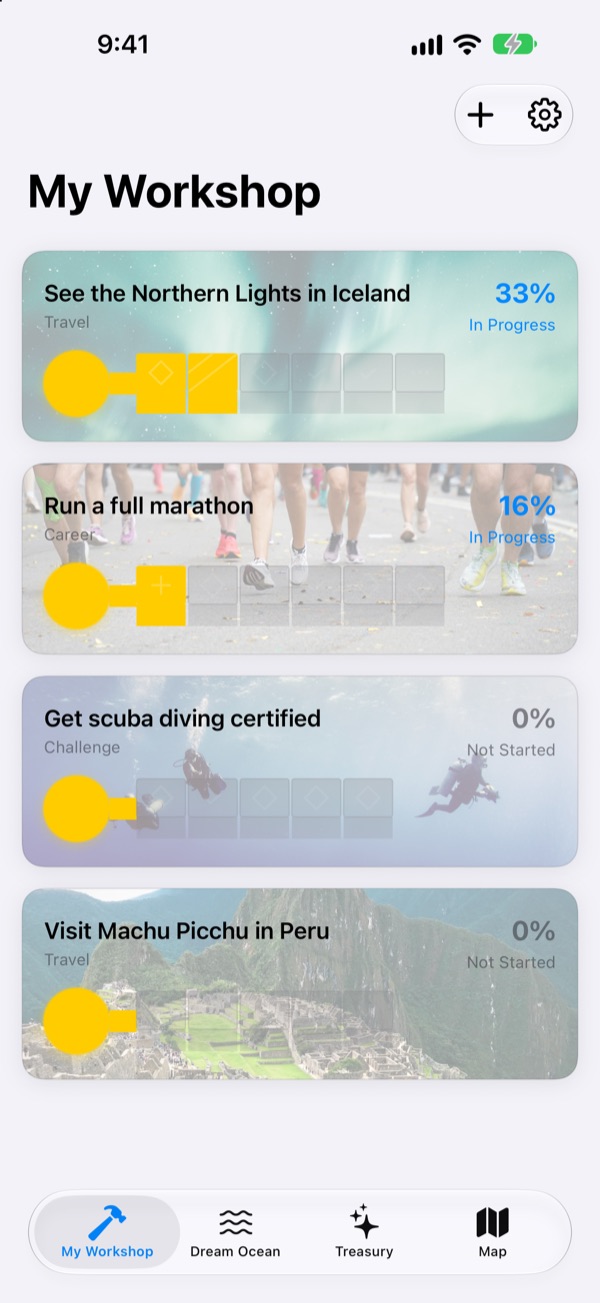
One tooth at a time, just enough for today
My Workshop shows how far each dream's key has come. The step to do now sits at the top, and answering its questions fills one tooth.
Your answers and photos collect in My Notes, and the Progress Timeline lets you look back on the whole way.
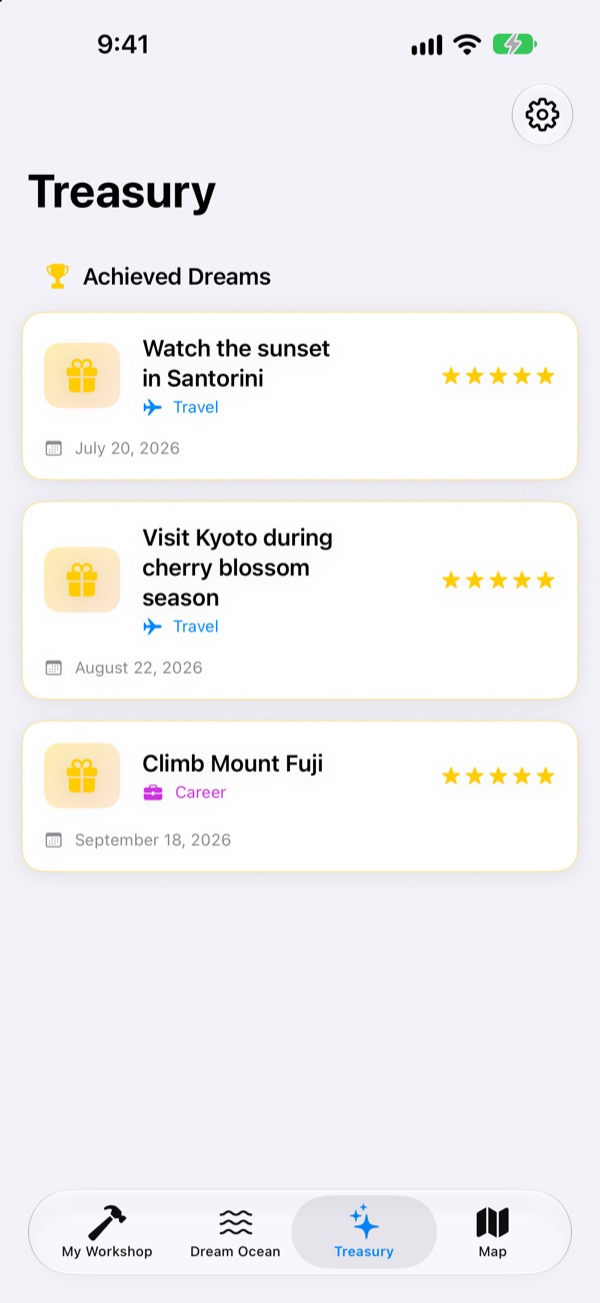
Achieved dreams go to the Treasury, places go on the map
Fill every tooth and open the box. Achieved dreams pile up in the Treasury with their dates, and paused dreams wait there until you pick them back up.
Dreams tied to a place show up on the map, so you can see everywhere you want to go.
Three steps to start
- 1
Pick a dream
Tap a box on the Dream Ocean and choose Bring to My Workshop.
- 2
Answer today's step
Answer the questions on the step at the top, one by one, to fill a tooth.
- 3
Open the box
When every tooth is filled the key is done and the box opens.
Six areas on the Dream Ocean
- Travel
- See the Northern Lights in Iceland · Watch the sunset in Santorini
- Experience
- Go skydiving · Try paragliding
- Achievement
- Run a full marathon · Trek to Everest Base Camp
- Health
- Do 20 pull-ups · Build visible abs
- Learning
- Become fluent in English · Become fluent in French
- Relationships
- Travel the world with your parents · Spend a month on Jeju Island with friends
Each area holds close to a hundred dreams. Make your own with Add New Dream in My Workshop.
Buy once, get everything
The app
- More than 590 dreams with step-by-step questions
- Your own dreams
- My Notes with photos, and the Progress Timeline
- Treasury and map
- Climb Mode
- Future updates
Tip the developer (optional)
- If the app helps, you can send a small tip from Settings
- Tips don't unlock anything. Without one, every feature is still yours
One-time tips, not a subscription.
Nothing inside the app costs extra. No account, no ads.
Questions
How do I get started?
On the Dream Ocean tab, tap a box you like and choose Bring to My Workshop. In My Workshop, answer the questions on the current step and the teeth fill in one by one. Fill them all to open the box.
Can I add my own dream?
Yes. In My Workshop, tap Add New Dream and enter a title, an area and the steps to get there.
How do I pause a dream or pick it back up?
In an active dream's menu, choose Give Up This Dream and it moves to Paused Dreams in the Treasury. Tap Restart there to bring it back to My Workshop, or Delete Forever to remove it.
What is Climb Mode?
A screen that manages your dreams like climbing a mountain. Turn it on or off in Settings > Display. You can track deadlines per step and obstacles like cost and time, project-style.
Photos aren't showing.
Some dream backgrounds are downloaded from the internet. Check that you're online. Without a connection, a default picture is shown.
Can I move my notes to a new iPhone?
Your notes are stored only on this device, with no account or sync. Restoring a new iPhone from an iCloud or computer backup brings them along with your other app data.
Is there anything to buy inside the app?
No. Once you have the app, every feature is yours. The tips in Settings are only there if you'd like to say thanks.
Are my dreams and notes sent anywhere?
No. There's no account, and no ads or analytics. Your dreams, notes and photos stay on your device.
How do I contact you?
Bug reports, ideas, anything at all. Send them from Send Feedback in the app's Settings, or by Instagram DM (@lee25_ios).
Questions or problems? Write to leeo@kakao.com.