 Kids Schedule
Language
Kids Schedule
Language
Snap the notice.
Pack the night before.
Take a photo of the monthly calendar your daycare sends home. Kids Schedule reads the dates, times and event names and adds them all at once. The evening before the field trip, at 8 p.m., you get a nudge to pack the lunch.
Every feature is free. Your photos never leave your phone.
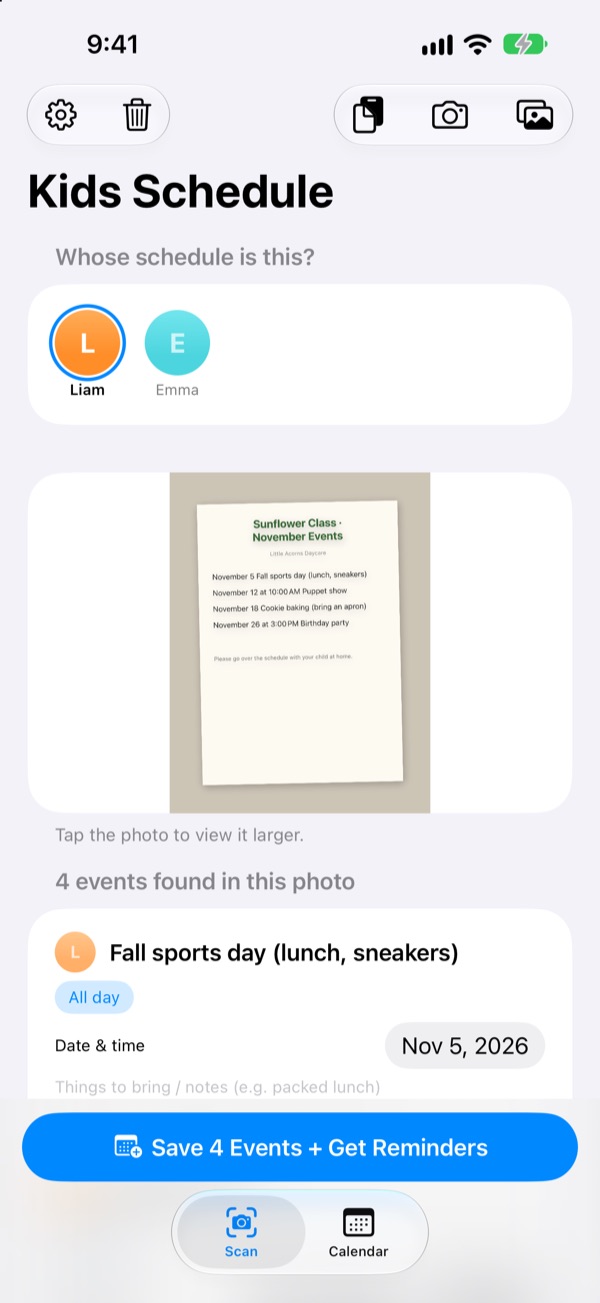
Snap a notice
Here's a sample events notice for next month. Snap it and, just like the app, it pulls out the events and what to bring, then schedules reminders at the times you pick.
Still copying the school newsletter into your calendar?
Five or six events a month, each with something different to bring: a packed lunch, gym clothes, an apron. The schedule on the fridge is nowhere in sight on the way to work, and it always comes back to you the morning of. Kids Schedule turns that sheet of paper into calendar events and reminders.
One photo, one month
Monthly grid, newsletter or one-off flyer: take a photo or pick one from your library and the dates, times and event names are read for you. You can also paste a text from the daycare, and words like "tomorrow" or "this Friday" become real dates.
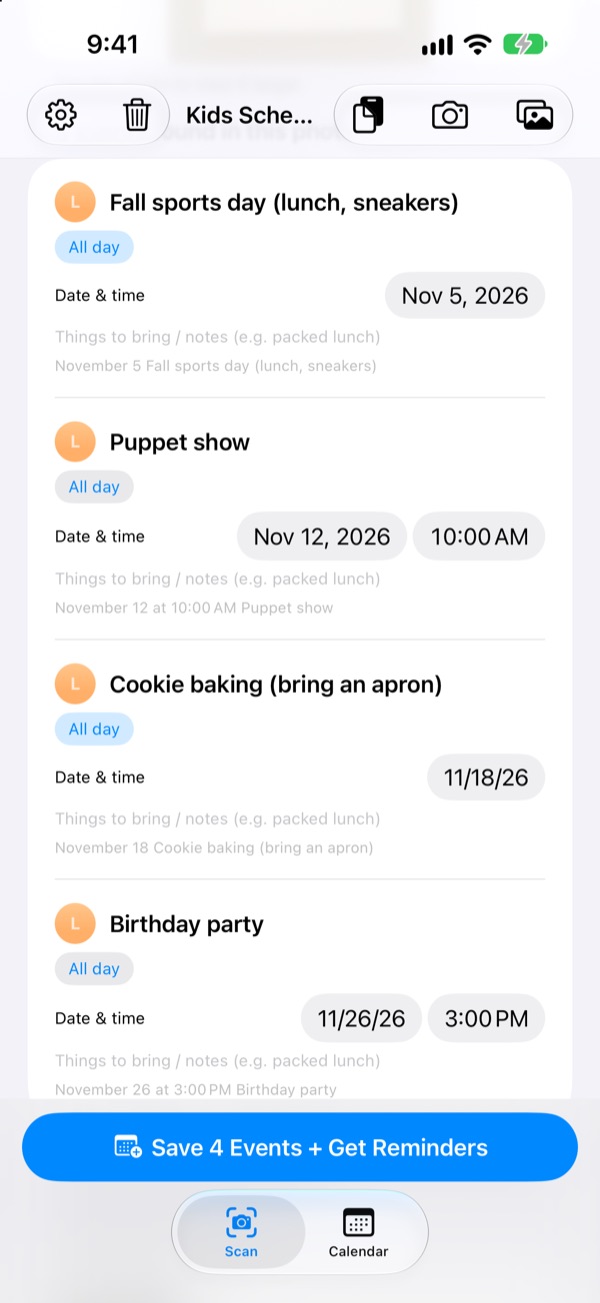
Before saving, fix any title, date or note about what to bring, and swipe away what you don't need. Enter your child's class and events meant only for other classes are filtered out.
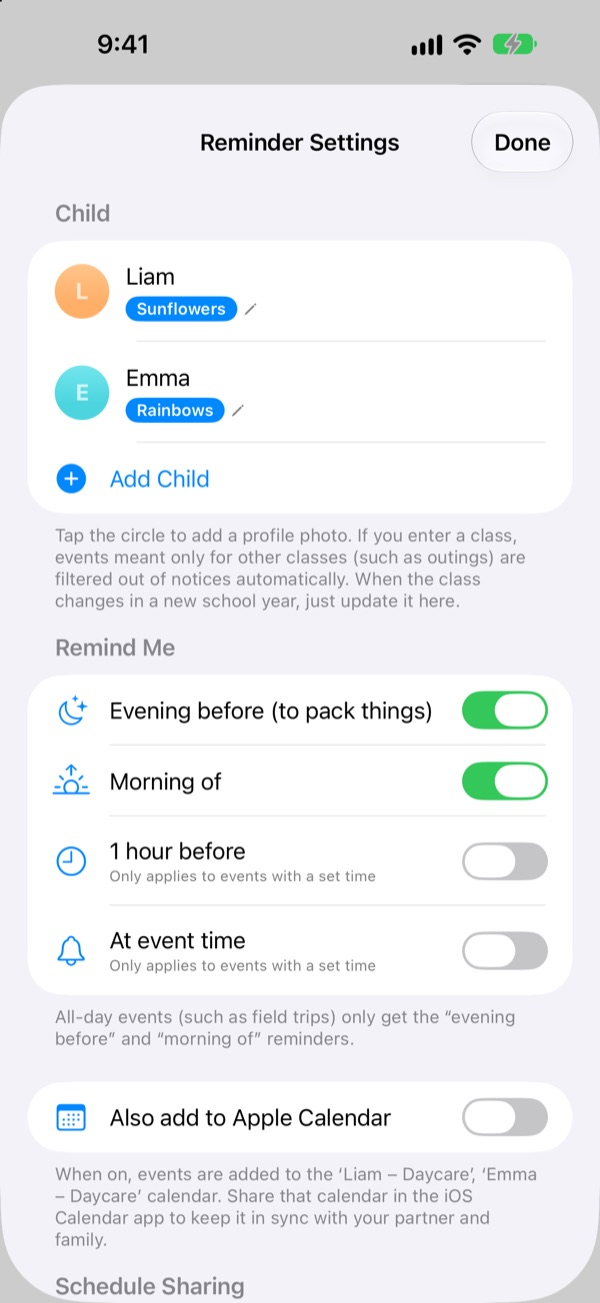
Reminded the evening before
Pick from 8 p.m. the evening before, 7:30 a.m. the morning of, 1 hour before or right on time. Your note about what to bring shows up in the reminder, so the bag gets packed.
Turn on Apple Calendar and events go into a calendar named after your child, never added twice.
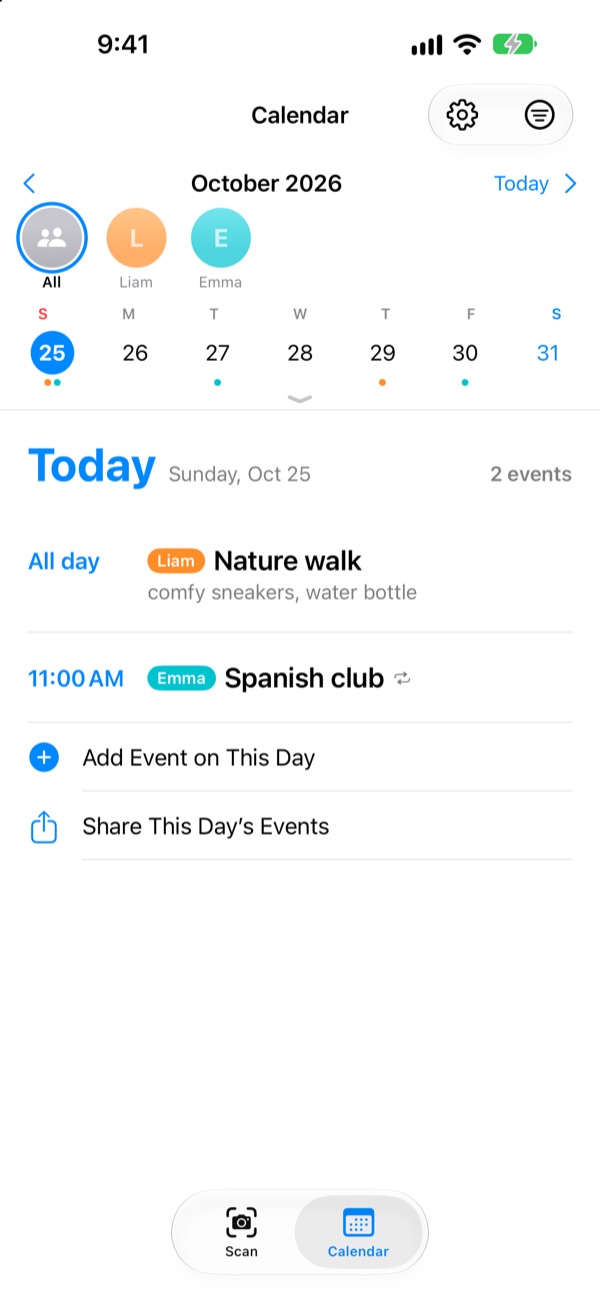
Several kids, the whole family
Each child gets their own color. Switch between everyone at once and one child at a time, and Kids Schedule uses past events to guess whose notice you just scanned.
Send an invite link and your partner, grandparents or caregiver can see and edit the same events. A Home Screen widget shows what's coming up.
Three steps to start
- 1
Add your child
Enter a name and class. Add a profile photo whenever you like.
- 2
Snap the notice
Shoot it straight on so the text comes out sharp.
- 3
Check and save
Allow notifications and reminders arrive when you chose.
When reminders arrive
- 8:00 p.m. the evening before
- Time to pack. On by default
- 7:30 a.m. the morning of
- Today's events. On by default
- 1 hour before
- Only for events with a set time
- At event time
- Only for events with a set time
All-day events like field trips only get the evening-before and morning-of reminders. Turn any of them on or off in Settings.
Every feature is free
Free
- Reading events from photos and messages
- Editing before you save, filtering other classes
- Evening-before, morning-of, 1-hour and on-time reminders
- A color per child and one combined calendar
- Apple Calendar sync
- Sharing with family by invite link
- Home Screen widget
Support the developer
- Send a small tip of any size from Settings
- Tips don't unlock anything. The app works the same either way
No ads, no subscription.
Questions
What kinds of photos work?
Monthly calendars (grids), newsletters written as sentences, and single notices or flyers. Shooting straight on so the text is sharp helps a lot, and you can pick several photos to scan at once.
Some events are missing or a title has a typo.
Handwriting and faint print can be hard to read. Fix the title, date or what to bring right in the list, or swipe away anything you don't need. Add a missing event with Add Event Manually on the Scan tab, then save again.
I'm not getting reminders.
Check that notifications are allowed in Settings > Notifications > Kids Schedule. In the app's settings (⚙️) you can also choose which reminders you get.
Events for other classes show up too.
Enter your child's class name in Settings, and events meant only for other classes are filtered out. When your child moves up a year, just change it there.
I have more than one child.
Add as many children as you like in Settings, each with a profile photo. Choose whose events you're scanning, and the calendar shows each child in their own color, with a combined view and a filter per child.
How do I share the schedule with my partner?
In Settings, under Schedule Sharing, tap Invite People and send the link by message. They can see and edit every child and event, and changes from either side show up on both right away. This is separate from Apple Family Sharing.
Are there other ways to share?
The share button on the Calendar tab sends a Kids Schedule file, a calendar file (.ics) or a text summary. With Also add to Apple Calendar on, a calendar named after your child is created, and sharing it over iCloud in the Calendar app keeps your family in sync too.
Are my photos or events sent anywhere?
No. Text in your photos is read entirely on your device, and data is stored only on your device. Events go through your iCloud only when you invite someone with Schedule Sharing, and only to the people you invited.
Having trouble or wish it did something more? Write to leeo@kakao.com. We usually reply within 2 to 3 days. Including your device model and iOS version helps.