 Mochimo
Language
Rough day?
That's okay
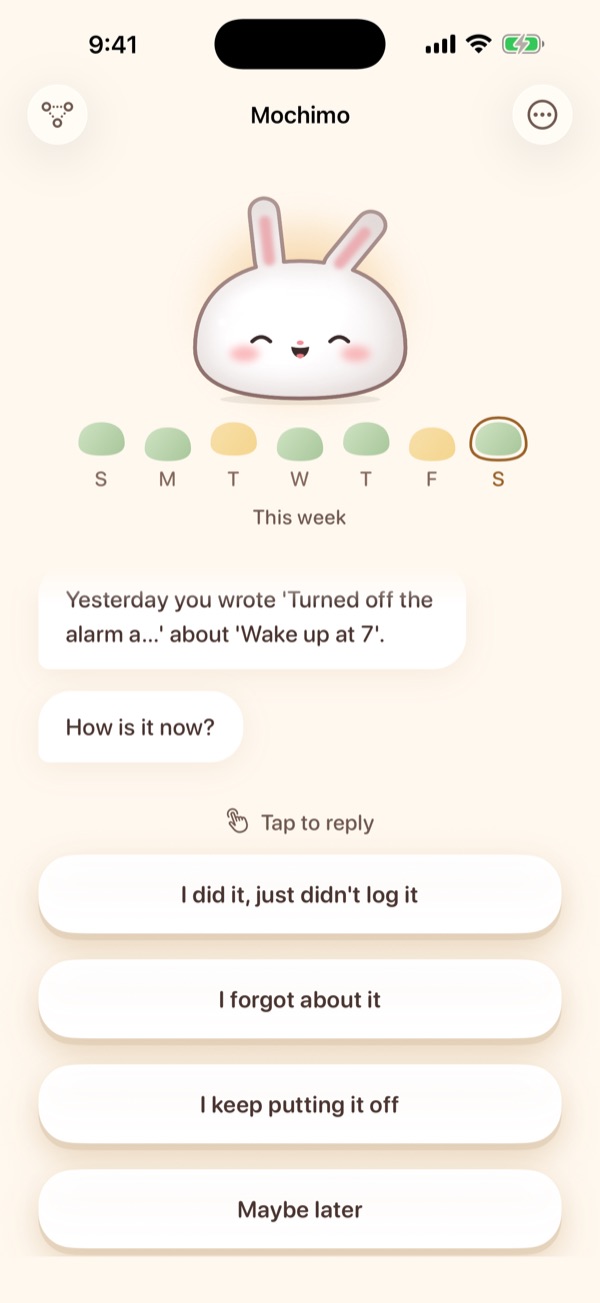
On a day you miss your goal, your mochi friend speaks first. It asks what happened, not what you did wrong, then hands back the facts and your feelings as two separate things.
Talking, journaling and your path are free. No sign-up, no ads.
Talk to your mochi friend
You meant to go for an evening walk today and didn't. Tap a reply or type your own, and your friend answers just as it does in the app.
When a day doesn't go to plan, do you blame yourself?
On a night you skipped the workout, the first thought is usually "what's wrong with me?" Look closer and there was a late shift, it was raining, you were worn out. Mochimo asks about what happened and how you feel in separate turns, then lays the two side by side. Once you see it was the circumstances and not your willpower, the next small step gets easier to find.
Your friend speaks first
Set a goal and your friend keeps track of the days you made it and the days you got stuck. When a day slips by, it asks "what happened?" instead of "why didn't you?", and it remembers what you told it last time so it can ask how things went since.
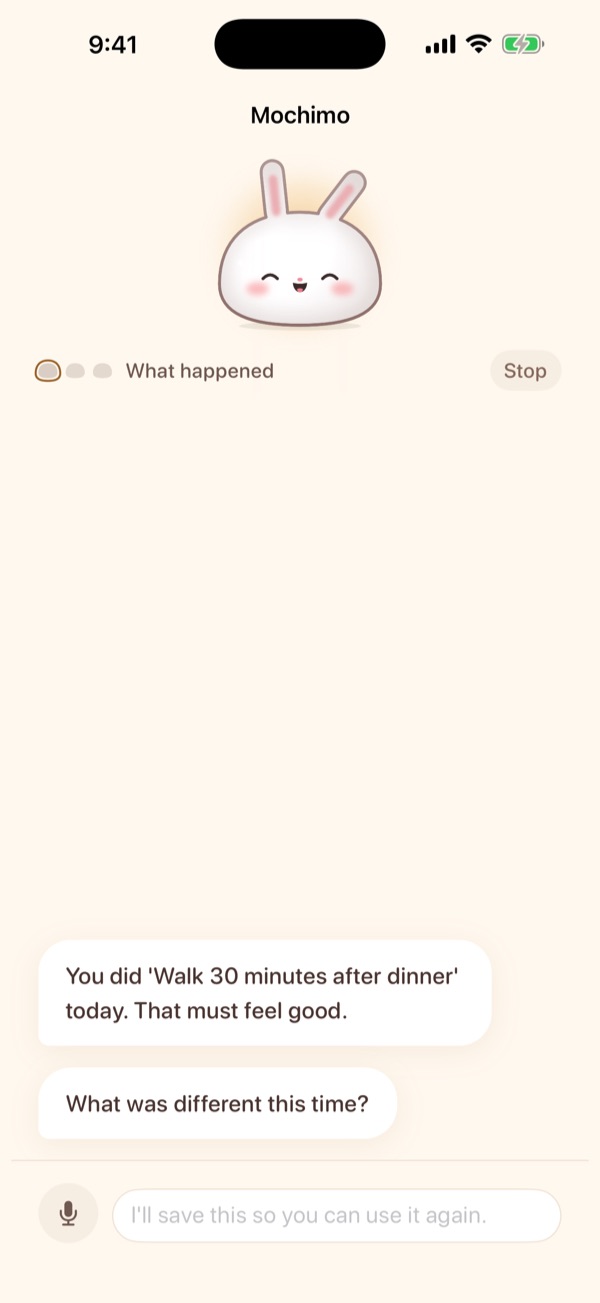
On days when writing feels like too much, just say it. Speech is recognized on your device and recordings are never saved.
Your week as seven little mochi
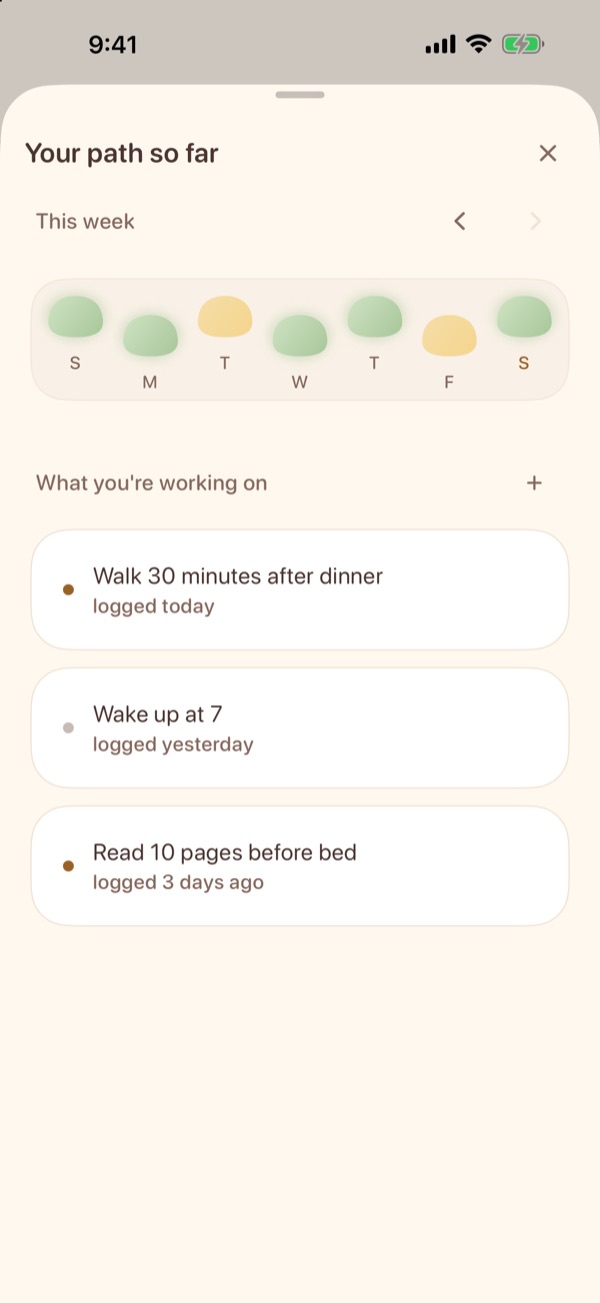
Each week is laid out as seven little mochi. Days you made it turn matcha green, days you just checked in turn golden. The days you missed stay there too; nothing gets wiped away.
Even with a gap or two, you can see the week still holds together.
Come back to what you wrote
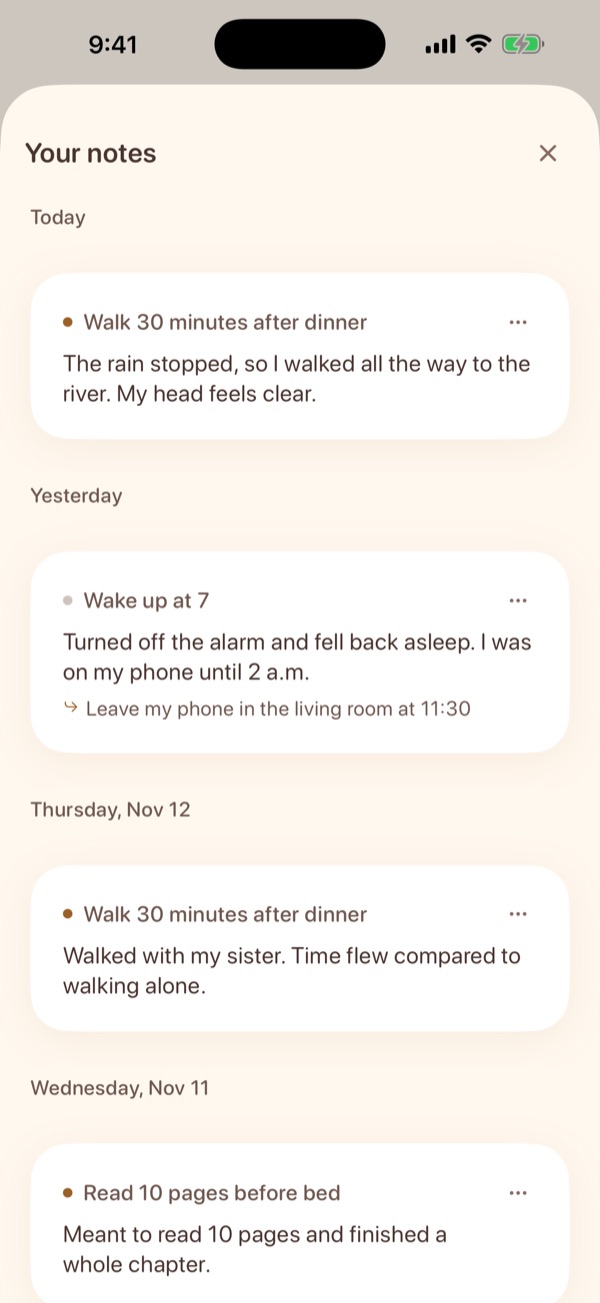
What happened, how you felt and what you'll try next pile up in date order. Look back at a day you got stuck in the same way and you'll see what worked.
A Home Screen widget shows a word from your friend, and a reminder at a time you pick nudges you to look back on the day.
Three steps to start
- 1
Write down one goal
Something like "Walk 30 minutes after dinner".
- 2
Open the app at the end of the day
Your friend asks how today went. Set a reminder so you don't forget.
- 3
Tap or type a reply
You can stop any time with
Maybe later.
How a conversation goes
- What happened
- Just the facts of what got in the way
- Feeling
- Pick how you feel right now from five steps
- Looking back
- Your friend hands back what happened and how you feel, kept apart
- Next step
- You choose something small, five minutes is plenty
- Wrap-up
- On a really low day it asks nothing more and suggests a rest
You can leave at any point, and whatever you've said so far is saved.
Talking and journaling are free. Pro is there if you want more.
Free
- Every conversation with your friend
- Up to three goals
- Speak instead of typing
- Your path and everything you've written
- Home Screen widget and daily reminders
- Passcode lock
Mochimo Pro
- As many goals as you like
- Six colors for your friend
- Export your records as a text file
Buy once, keep it. Not a subscription.
No payment screen ever pops up in the middle of a conversation. On a new device or after reinstalling, tap Restore Purchase in Settings.
Questions
Do I have to explain every missed day?
No. Tap Maybe later at any point and the conversation ends right there. What you've said so far is saved, so you can pick it up later.
I actually did it, but the app says I didn't.
Tap I did it, just didn't log it. Your friend takes the correction and asks what helped instead. What worked gets saved, and it brings it back the next time you get stuck.
Where does what I say out loud go?
Your speech is turned into text on your device and the recording is never saved. On supported devices your words are tidied up so they read more easily, and that happens on the device too.
How many goals can I have?
Three for free. When you're done with one, use Let Go in Your path so far to free up a spot. For more than three, you'll need Mochimo Pro.
Is Mochimo Pro a subscription?
No. You pay once and keep it. On a new device or after reinstalling, tap Restore Purchase in Settings.
Can anyone else read my journal?
There's no account. Your records live only on your device and in your own iCloud, and you can lock the app with a passcode in Settings. What you write is never sent to the developer. You can also turn off anonymous usage statistics in Settings.
How do I change the reminder time?
Go to Daily reminders in Settings to turn them on or off and pick a time.
Does your friend ever bring up my old wins?
Yes. When you mention something that worked before, your friend remembers it, and on a hard day it reminds you of something you managed recently.
How do I delete everything?
Tap Delete All Records in Settings. Your goals and records are gone for good, including on other devices synced through iCloud. Your settings and purchases stay. With Pro, you can save a copy with Export records first.
How do I get in touch?
Use Send Feedback in the app's Settings, or email the address below.
Questions or feedback? Write to leeo@kakao.com.